
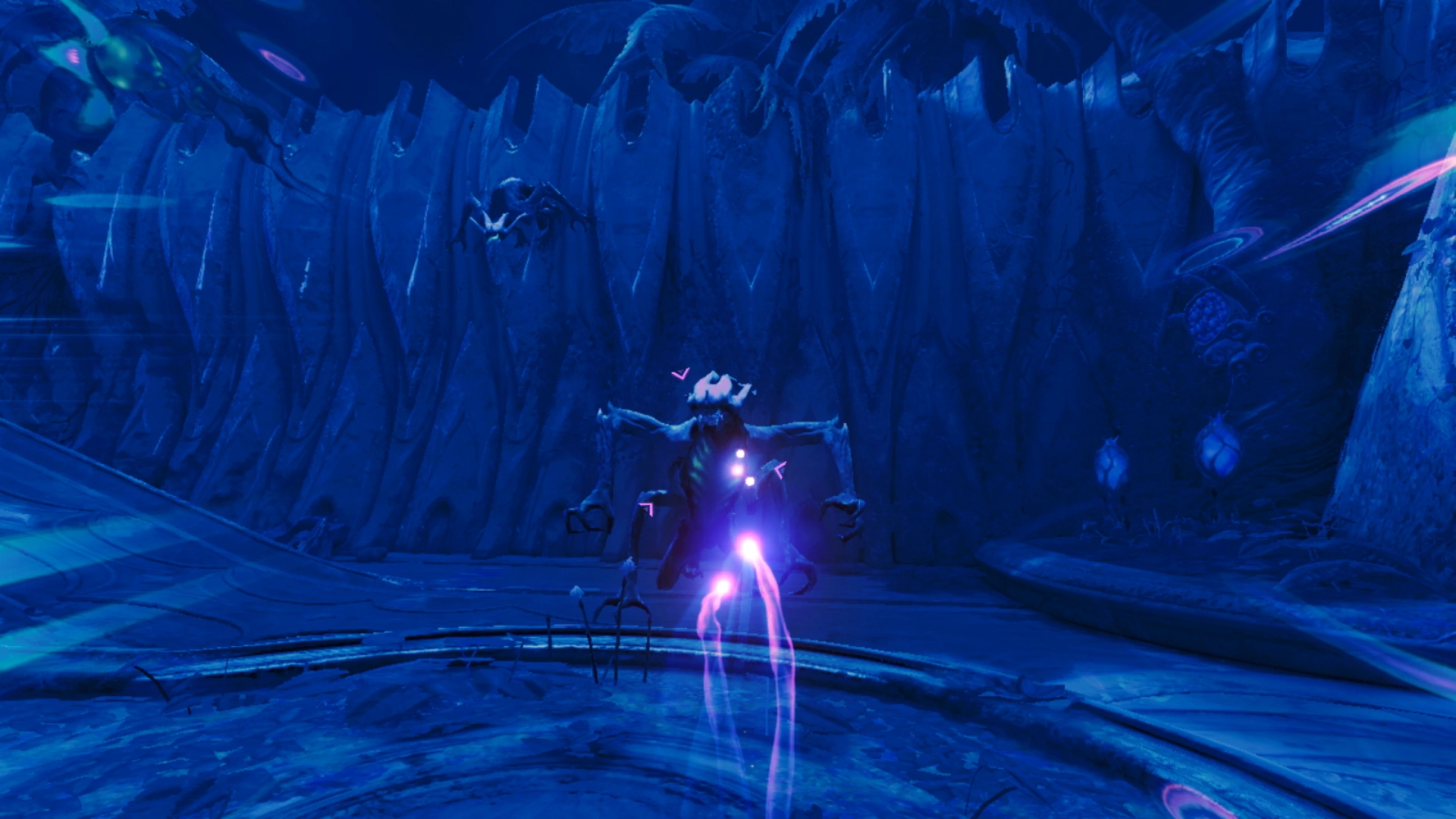

Samus Aran firing the Control Beam at Jungle Grievers
The Control Beam is a Psychic Ability in Metroid Prime 4: Beyond. By using a Psychic Charge Beam with the Psychic Visor, Samus can manually control the flight of her projectile.
The main use of the Control Beam is to guide the beam into objects that are generally out of reach. In addition, while the Control Beam is active, time around Samus is significantly slowed, allowing her to effectively immobilize otherwise fast enemies, or strike multiple targets that must be destroyed in quick succession. The Control Beam will terminate if it hits 3 targets, and there is a maximum range it can travel indicated by a blackish barrier. Each use of the Control Beam consumes a third of a gauge that appears on the sides of the HUD when charging it, which regenerates over time.
Official data
Inventory data
Control Beam
Activation
Switch to the Psychic Visor, press and hold
 /
/ to charge a shot, then release to launch a Control Beam. Use
  /
/ to steer the shot. If there is a lock-on target, holding
  will direct the Control Beam toward that target. Pressing / will immediately detonate the shot. Hold
  /
/ while the shot is in flight to boost its speed.
Mission Strategy
Because it dramatically slows the perception of time, the Control Beam is very effective against fast-moving targets. A Control Beam shot consists of three energy spheres, meaning that unless it collides with an obstacle, it can hit up to three targets. The concentration required by telepathy means rapid-fire shots are not possible and that the beam's travel distance is limited. Up to three Control Beam shots can be launched before a short recovery period becomes necessary.
Item scan
"Control Beam:
Generates a charged Psychic Beam that can be controlled via telepathy. Time slows to a near standstill while the beam is in flight." (V • E)
Acquisition message
CONTROL BEAM acquired!
Psychic Charge Beam shots launched while using the Psychic Visor can now be controlled. Switch to the Psychic Visor, press and hold / to charge, then release to launch a maneuverable Control Beam shot. Use / to steer.
Open the menu with  and check the Inventory for more information. (V • E)
Acquisition message (Control Beam Boost)
CONTROL BEAM BOOST acquired!
Control Beam shots can now travel faster. Hold / to boost the speed of a shot.
Open the menu with and check the Inventory for more information. (V • E)